Photo editing
at the speed of thought
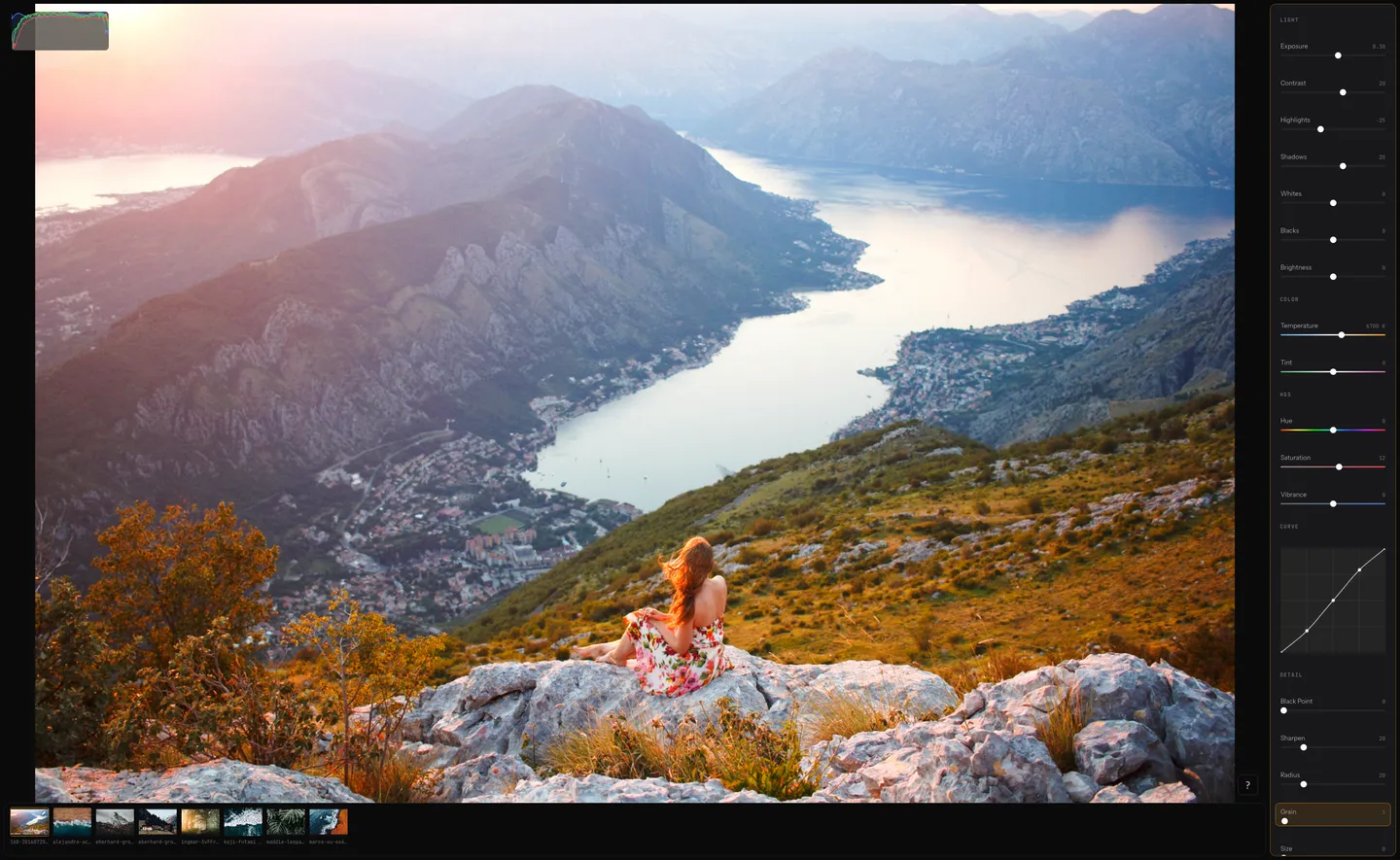
Keyboard-focused image editing. Navigate, tweak, copy-paste, and export — all without touching the mouse.
Features
Built for photographers who value quality and speed
Keyboard-first controls
Navigate sliders with jk, adjust with hl. Coarse ±10 with HL. Count prefixes work — 5l adds 5. Clear one slider with x, reset all with X. Rotate with R.
Yank & paste edits
Press y to yank all adjustments. Select images in the filmstrip with HL, then p to paste across the batch. Edit hundreds of photos in one session.
Bulk export
Select images, press e. Pick a folder once — files export with a live progress bar while fully preserving original EXIF metadata. No dialogs, no waiting.
Tone curves
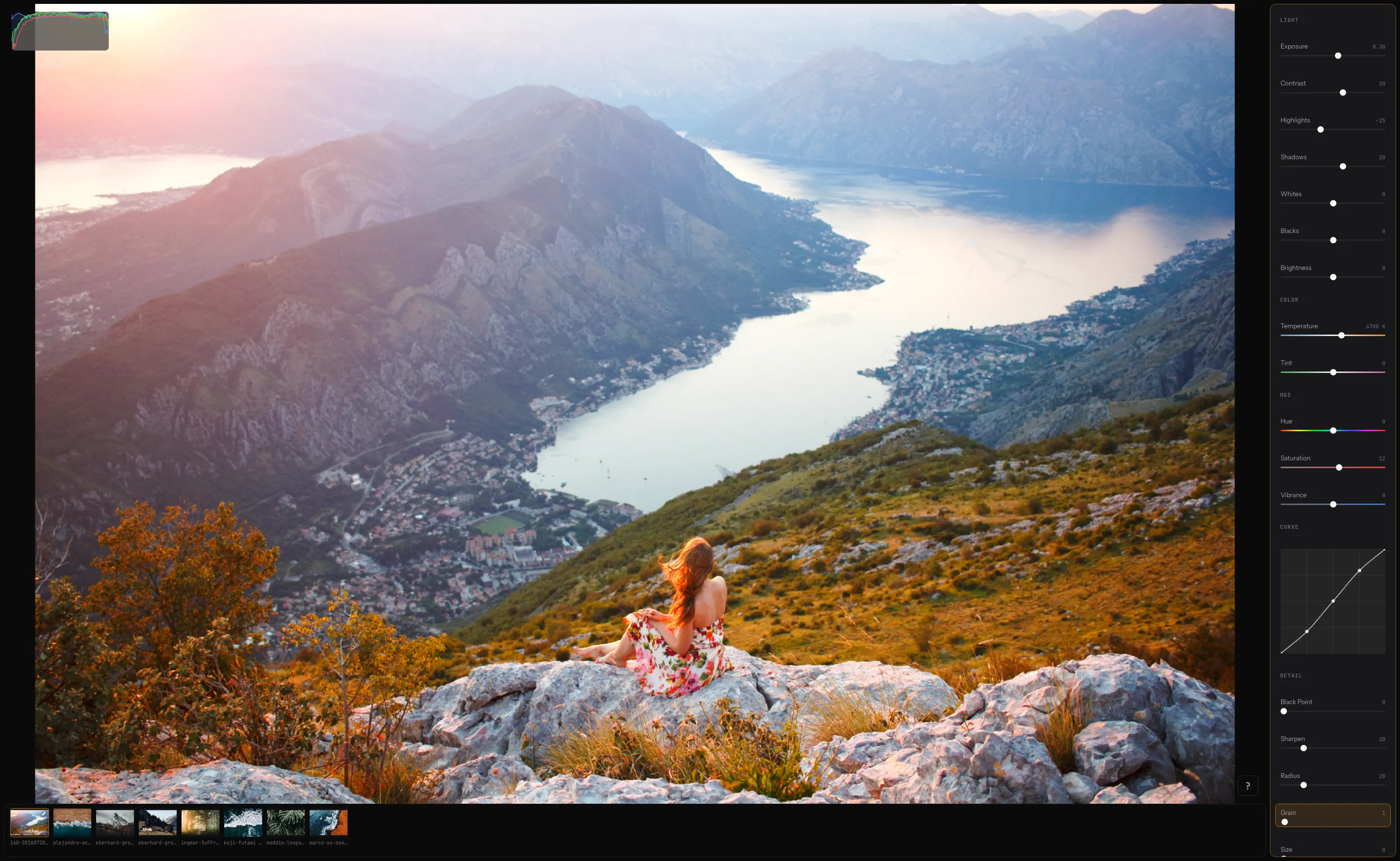
Full curve editor, entirely keyboard-driven. Enter from the Curve row with Space. Add points with a, move with hjkl, switch points with HL, delete with d, reset to linear with 0. Exit with Esc.
Non-destructive pipeline
A professional engine featuring 18 adjustment sliders—from exposure and temperature to fine grain control. All edits are calculated in a native pipeline, ensuring your originals remain untouched.
Live histograms
High-precision RGB and luminance histograms update with zero latency as you adjust. Always visible — no panels to open. Press ? at any time to open the full keyboard shortcut reference.
Workflow
Your hands never leave the keyboard
Driven by a modal system, Darkslide lets you switch focus between the adjustment sidebar, the filmstrip, and the curve editor to maintain high-velocity flow without ever touching your mouse.
Open images
Press o to add files, O to replace the current set. Thumbnails appear in the filmstrip. Works with JPEG, PNG, WebP, TIFF and other common formats.
Navigate sliders
Move between adjustments grouped by Light, Color, H&S, and Detail. The focused slider highlights in the sidebar. Scroll follows automatically.
Adjust values
h/l for fine ±1, H/L for coarse ±10. Prefix with a number: 5l adds 5. Press x to clear one slider, X to reset everything.
Switch to filmstrip
Tab cycles focus between the adjustment sidebar and the filmstrip. In filmstrip: h/l navigates images, H/L selects while moving, Esc clears selection. To enter the curve editor, navigate to the Curve row in the sidebar and press Space.
Yank and paste
y copies all adjustments (including curves) from the current image. Select a batch with H/L, then p to apply everywhere. One keystroke per image.
Preview original
Hold \ to see the unedited image. Release to return to your adjustments. No button to click — just a momentary hold.
Export
Press e to export the active image or all selected images as PNG. Batch export with live progress, preserving EXIF metadata.
Keyboard reference
Press ? at any time to open the full keymap. Every shortcut is listed — sidebar, filmstrip, and curve editor modes. Press ? again or Esc to close.
Under the hood
Fast by architecture, not by accident
Updates
Be the first to know
We'll email you about major releases and updates.